Smooth Scroll
This will hide itself!

Moviebuff Access

Moviebuff Access

Moviebuff Access

UX & Strategy | MOBILE App

Role

Lead UX/UI Designer

Team

1 Project Manager, 3 Developers

Timeline

3 Months | May 2024 - July 2024

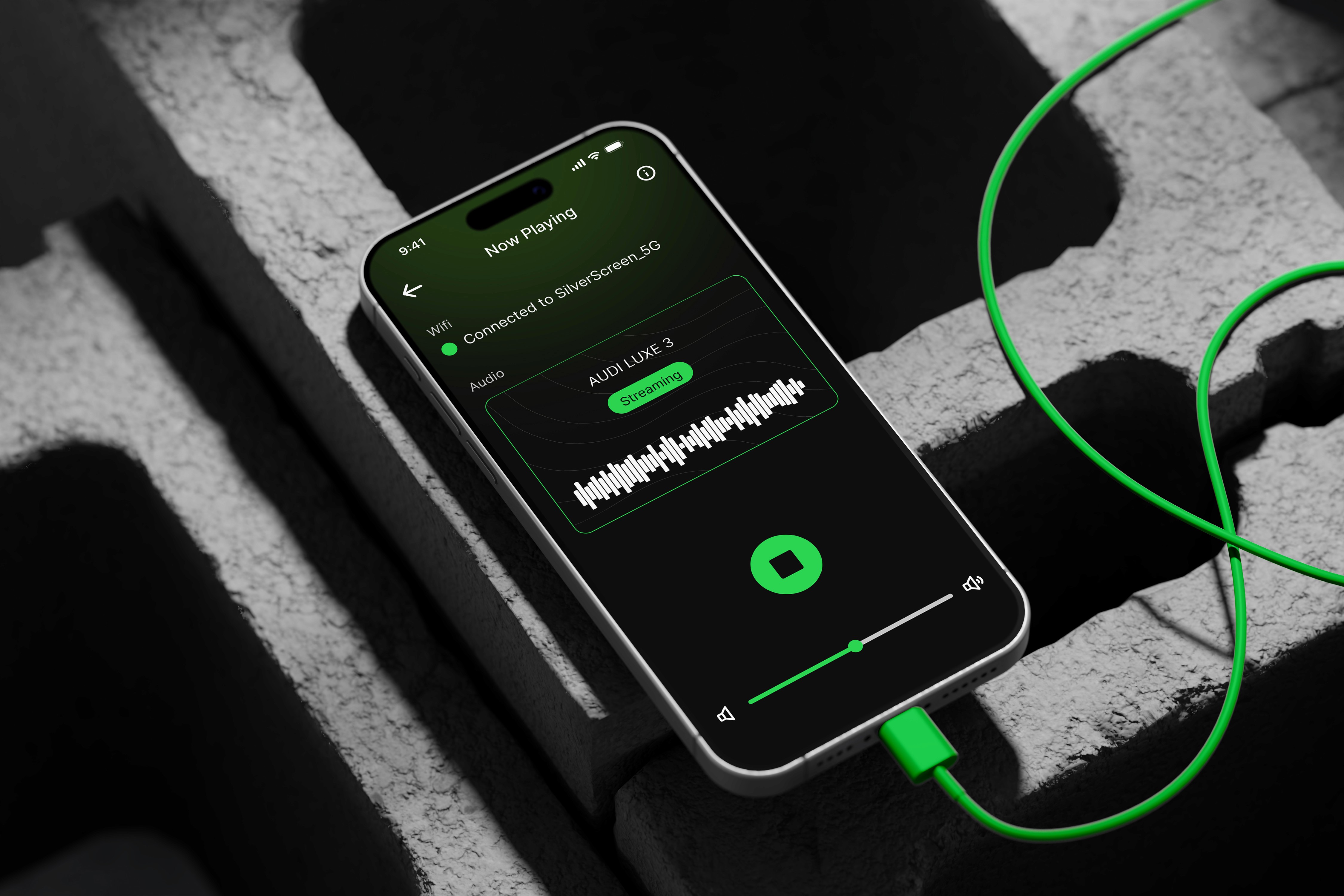
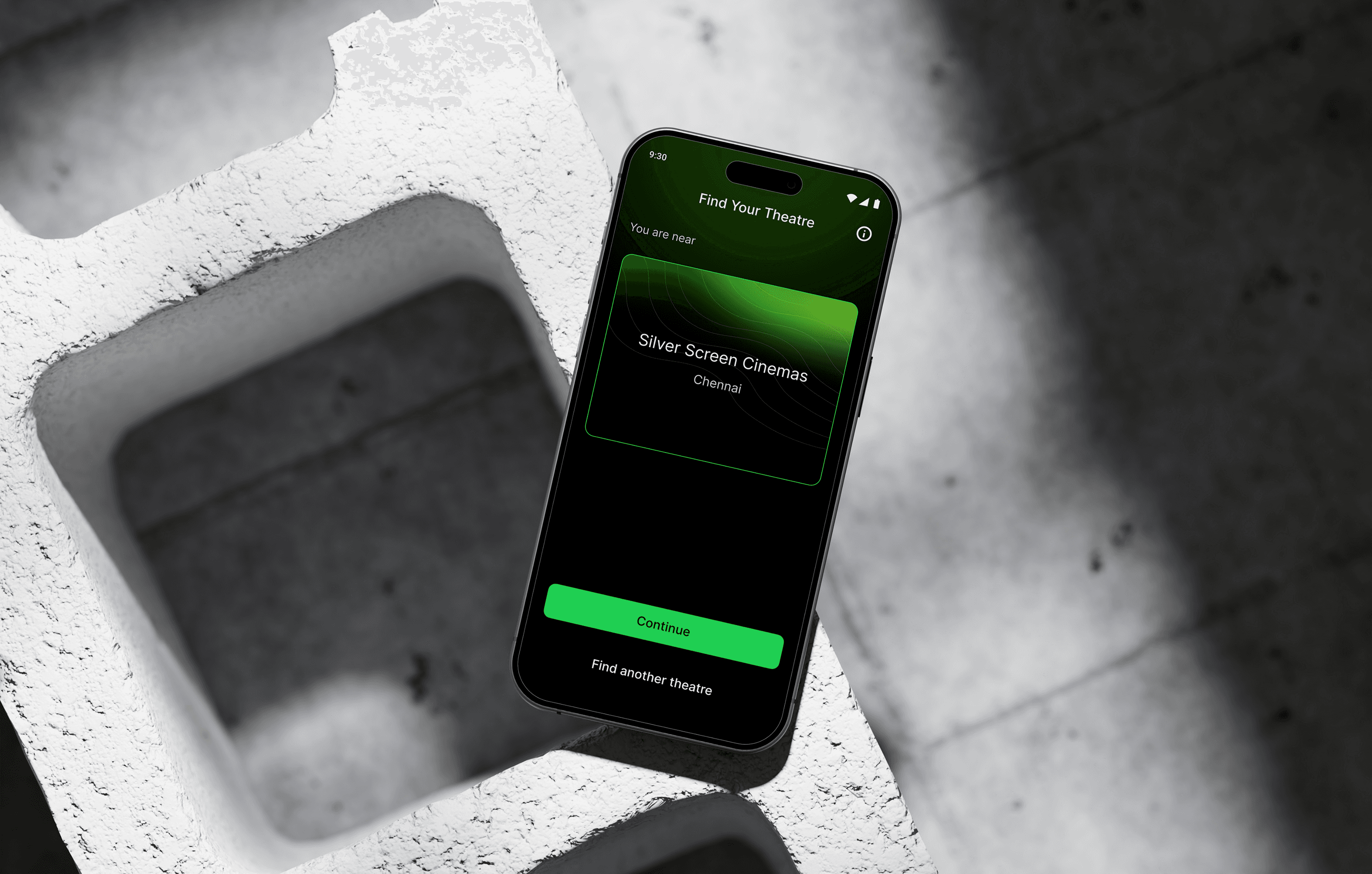
Designing an ADA-compliant mobile streaming experience for visually impaired theatre-goers. By providing immersive audio descriptions, it allows users to fully engage with and enjoy movies in a more inclusive and accessible way.
[PROBLEM]

Visually impaired individuals face challenges in enjoying movies in theaters due to the lack of accessible options for understanding visual elements. This creates barriers to inclusion in shared cultural experiences.

CONSTRAINTS

CONSTRAINTS

CONSTRAINTS

  • ADA compliance

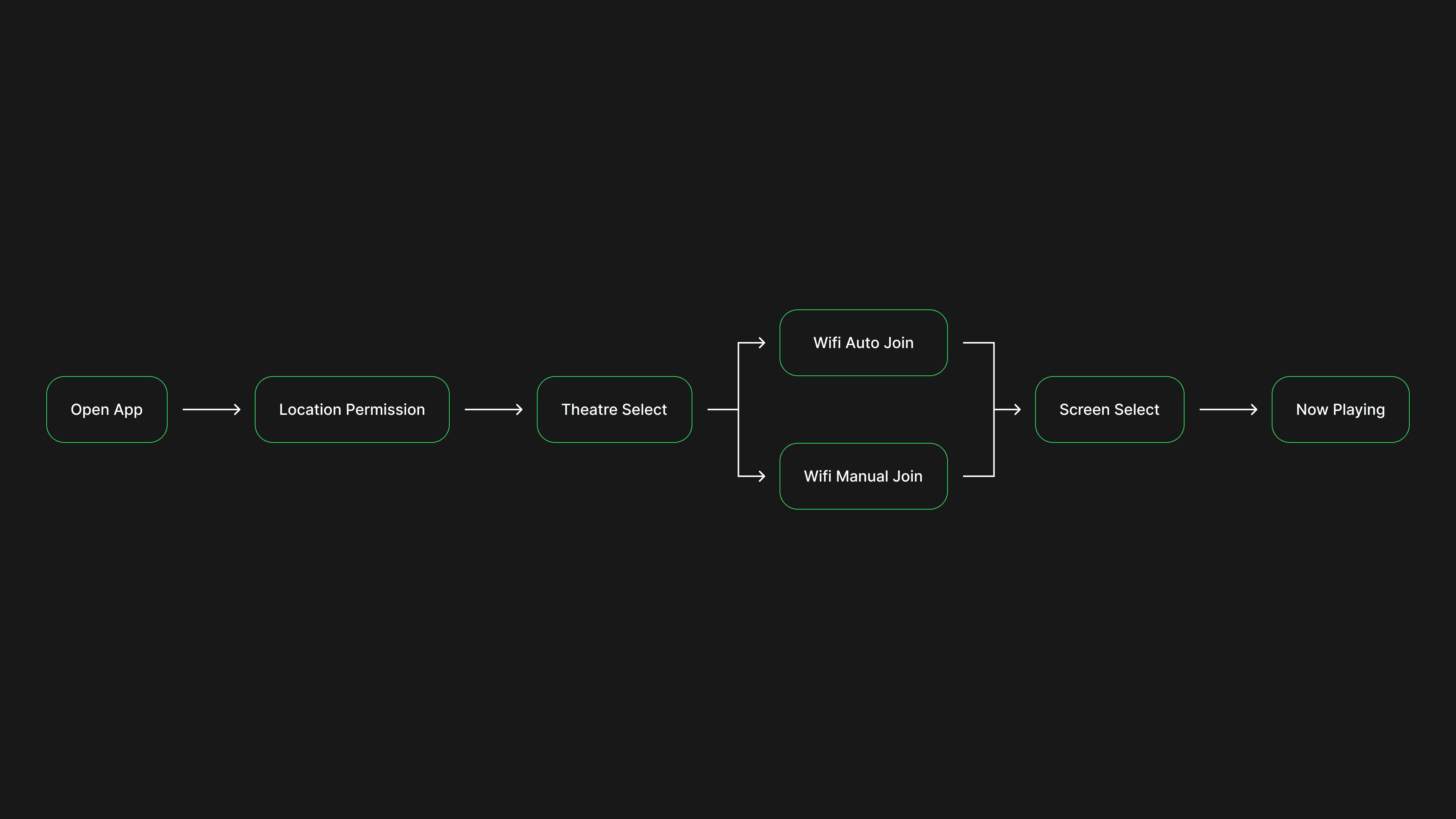
  • WiFi auto-connection with manual fallback

  • Playback must continue when the phone is locked

  • Only Start / Stop controls allowed

[DISCOVERY]

[DISCOVERY]

[DISCOVERY]

RESEARCH

RESEARCH

RESEARCH

I began by identifying the challenges faced by visually impaired users in theaters:


  • Lack of accessible tools for audio descriptions.

  • Over-reliance on others to follow the movie.

  • Social exclusion due to non-inclusive design.

I began by identifying the challenges faced by visually impaired users in theaters:


  • Lack of accessible tools for audio descriptions.

  • Over-reliance on others to follow the movie.

  • Social exclusion due to non-inclusive design.

I began by identifying the challenges faced by visually impaired users in theaters:


  • Lack of accessible tools for audio descriptions.

  • Over-reliance on others to follow the movie.

  • Social exclusion due to non-inclusive design.

ACCESSIBILITY

ACCESSIBILITY

ACCESSIBILITY

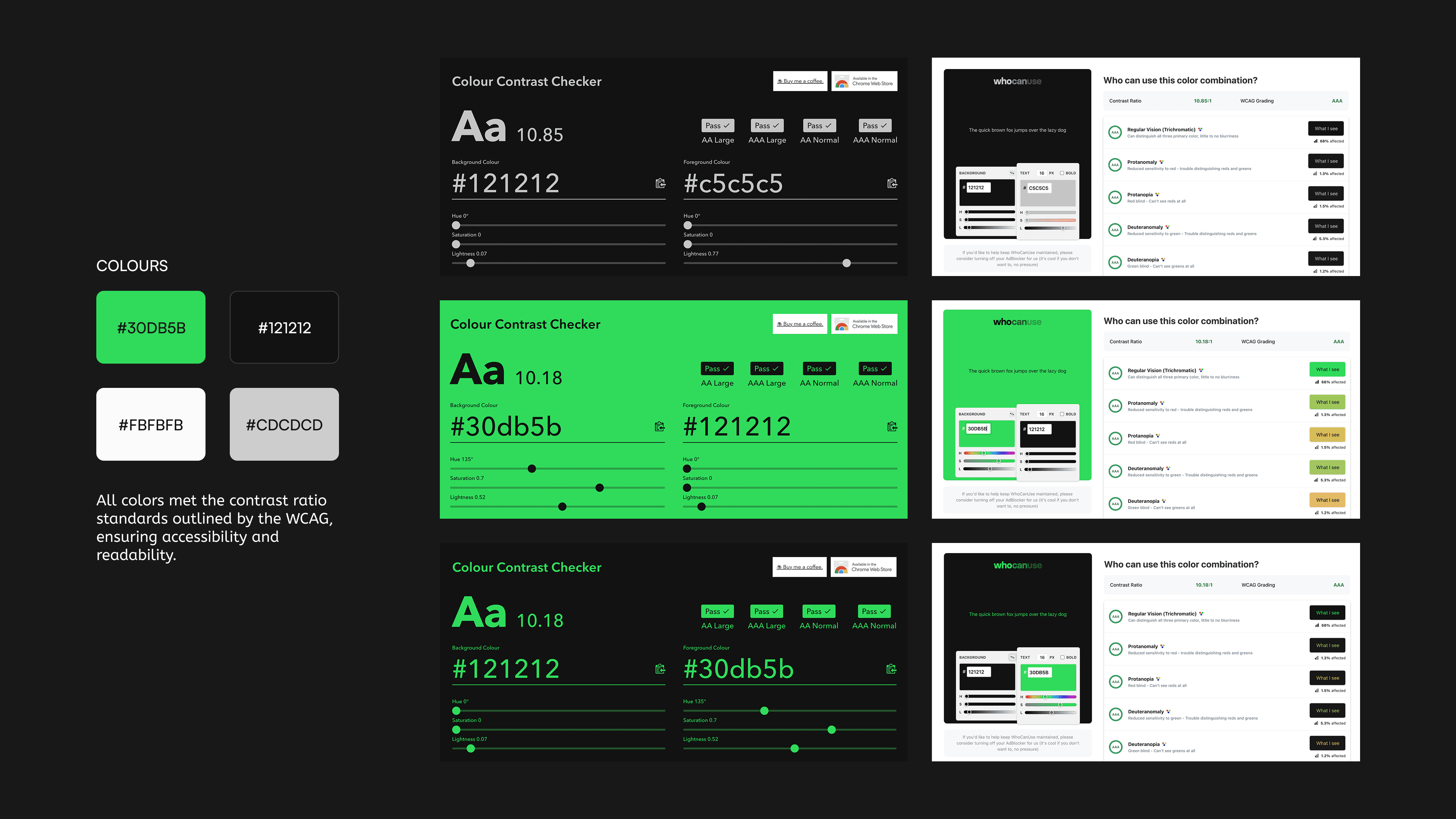
To ensure an inclusive experience for visually impaired users, the app was designed following the WCAG:


  • Screen Reader Compatibility

  • High-Contrast Design

  • Clear Navigation: Logical flow with no complex gestures.

  • Large Touch Targets

  • Enlarged Text Support

  • ALT Text: Descriptive text for images and illustrations.

To ensure an inclusive experience for visually impaired users, the app was designed following the WCAG:


  • Screen Reader Compatibility

  • High-Contrast Design

  • Clear Navigation: Logical flow with no complex gestures.

  • Large Touch Targets

  • Enlarged Text Support

  • ALT Text: Descriptive text for images and illustrations.

To ensure an inclusive experience for visually impaired users, the app was designed following the WCAG:


  • Screen Reader Compatibility

  • High-Contrast Design

  • Clear Navigation: Logical flow with no complex gestures.

  • Large Touch Targets

  • Enlarged Text Support

  • ALT Text: Descriptive text for images and illustrations.

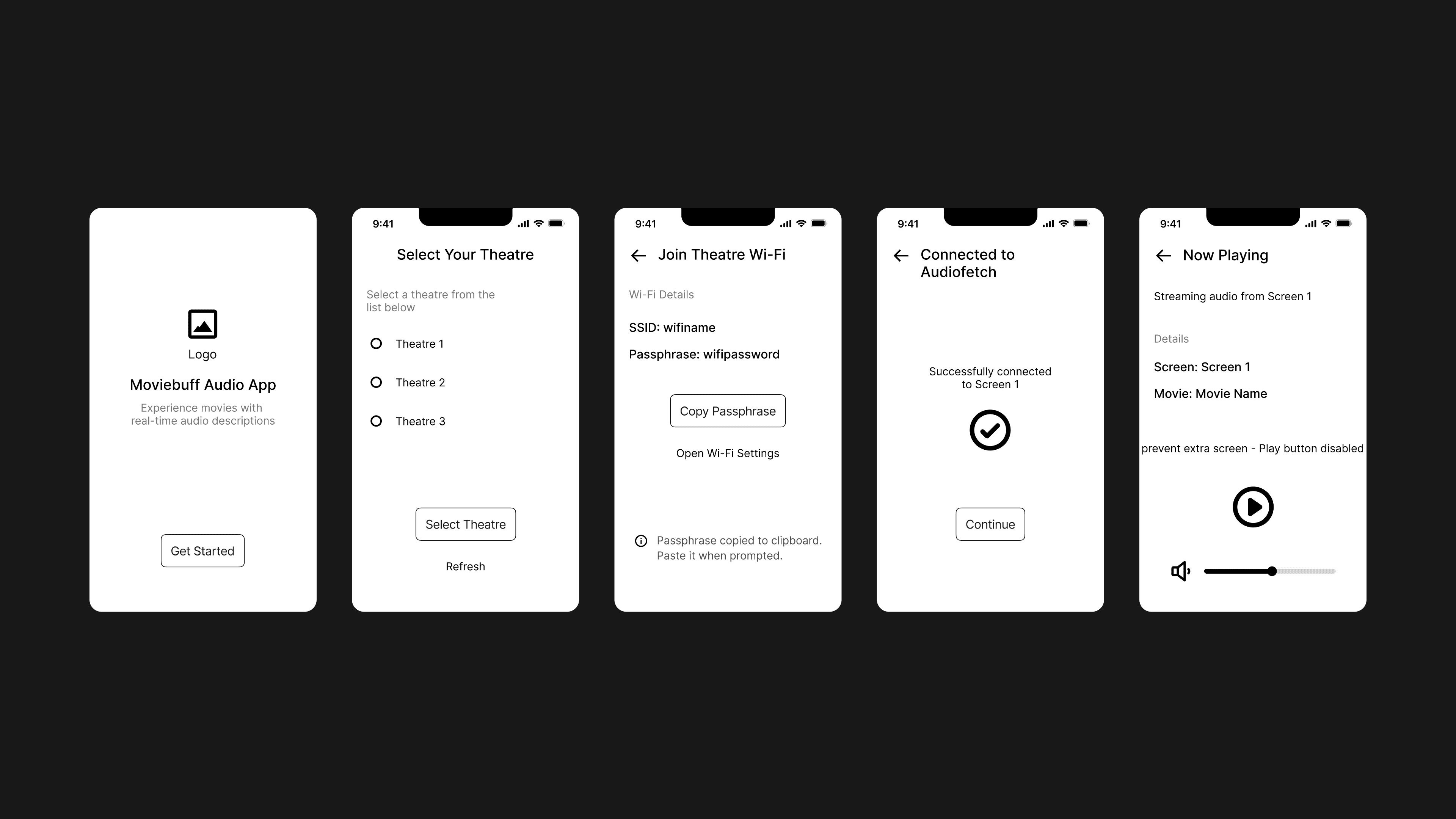
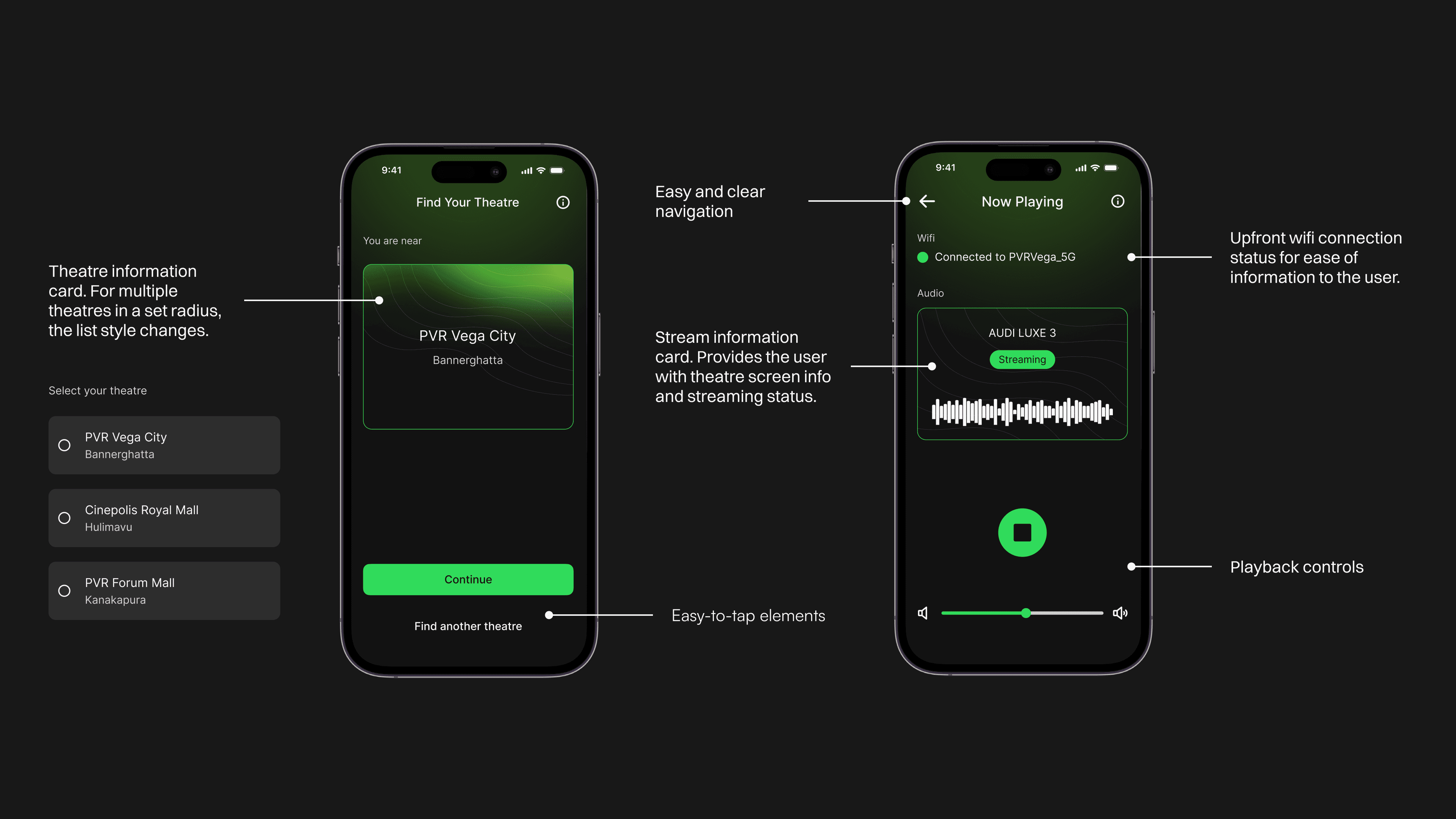
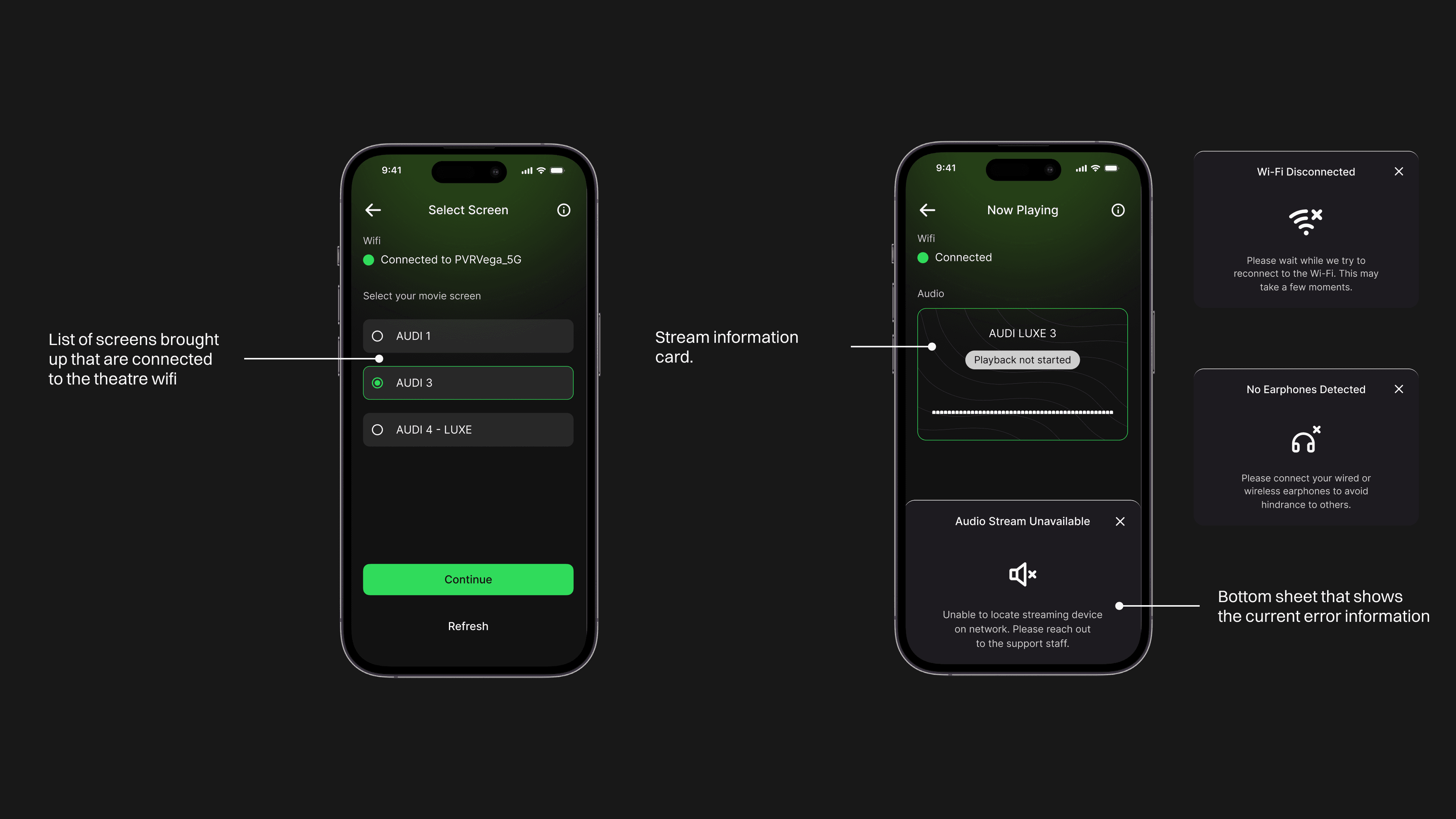
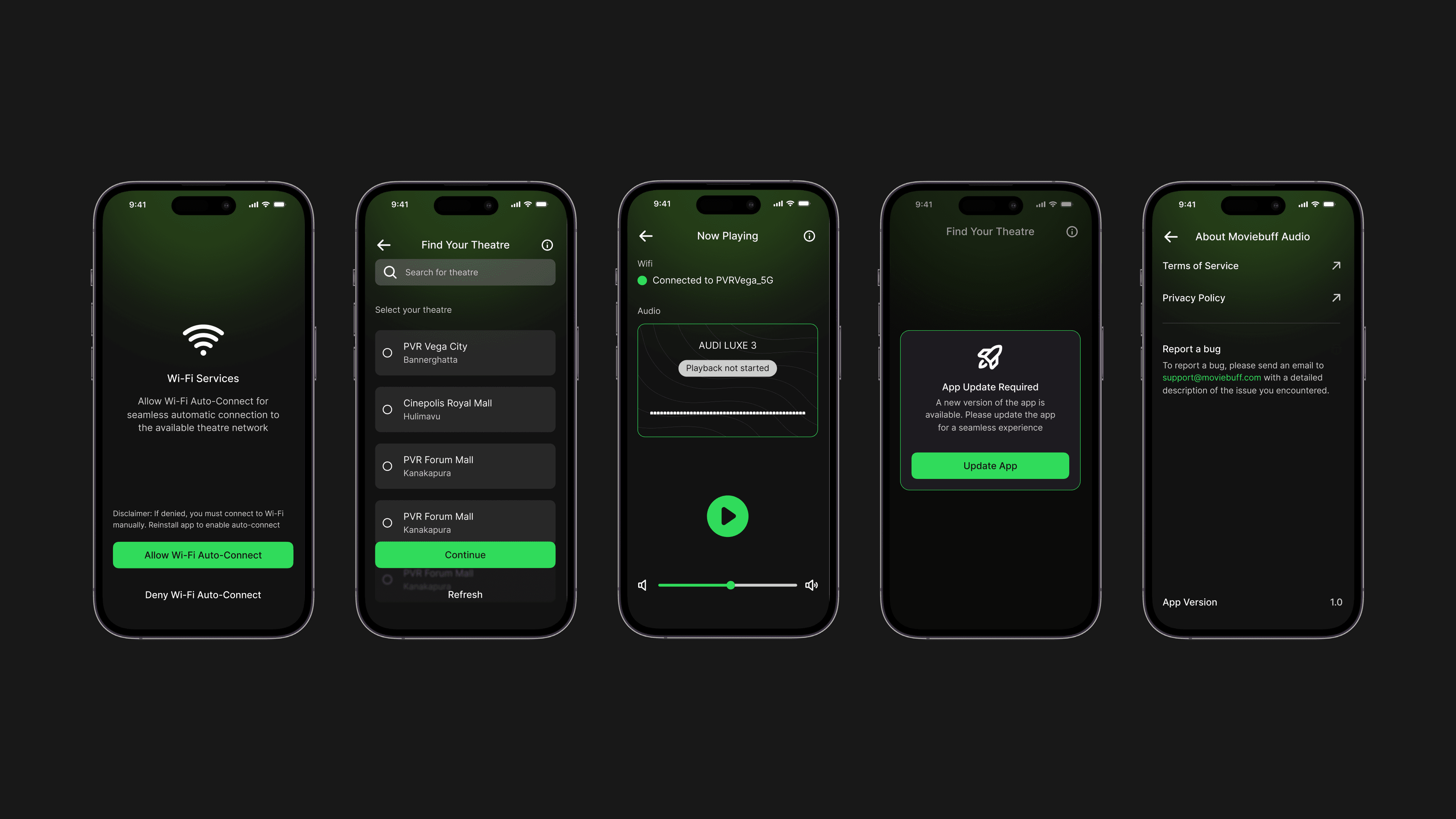
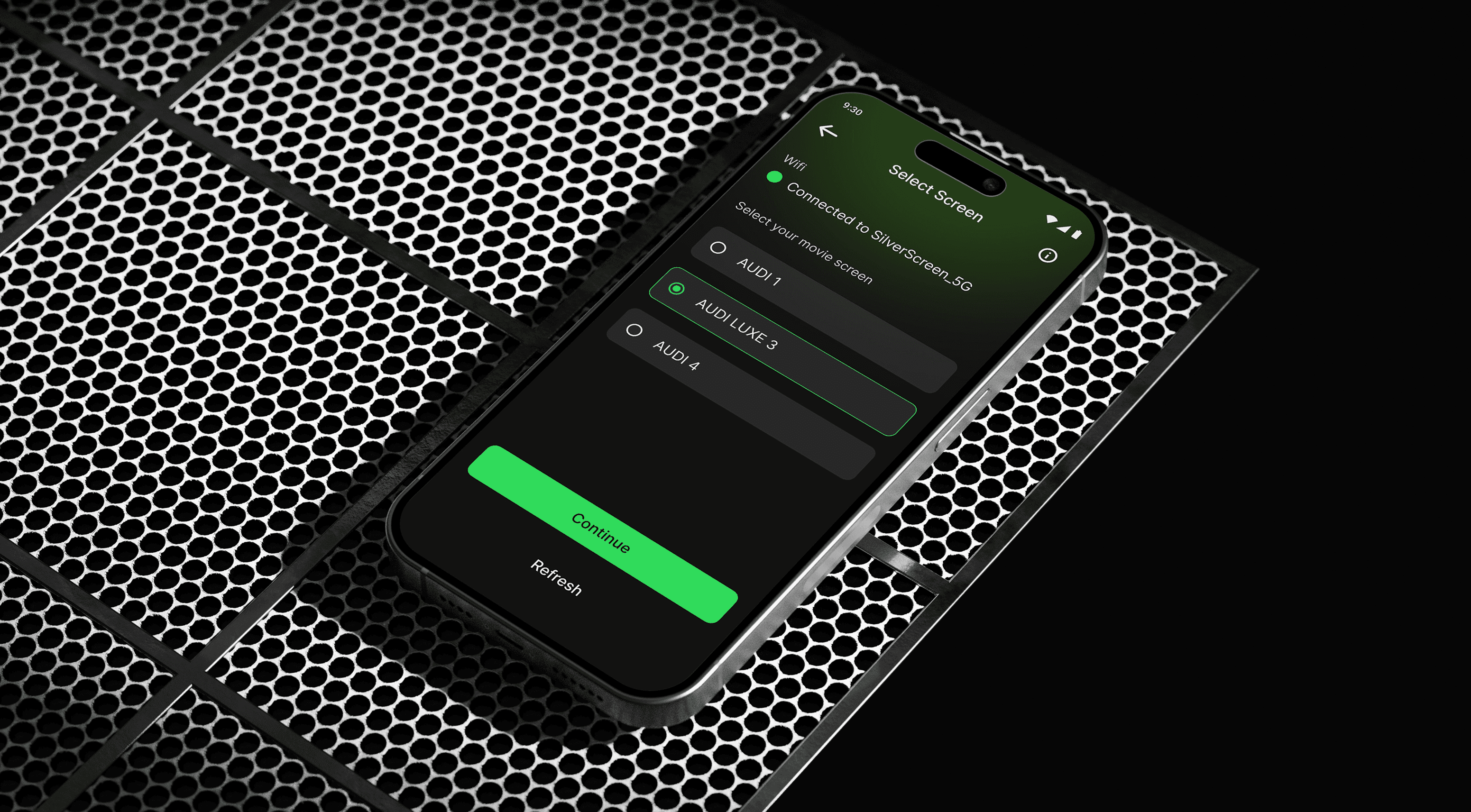
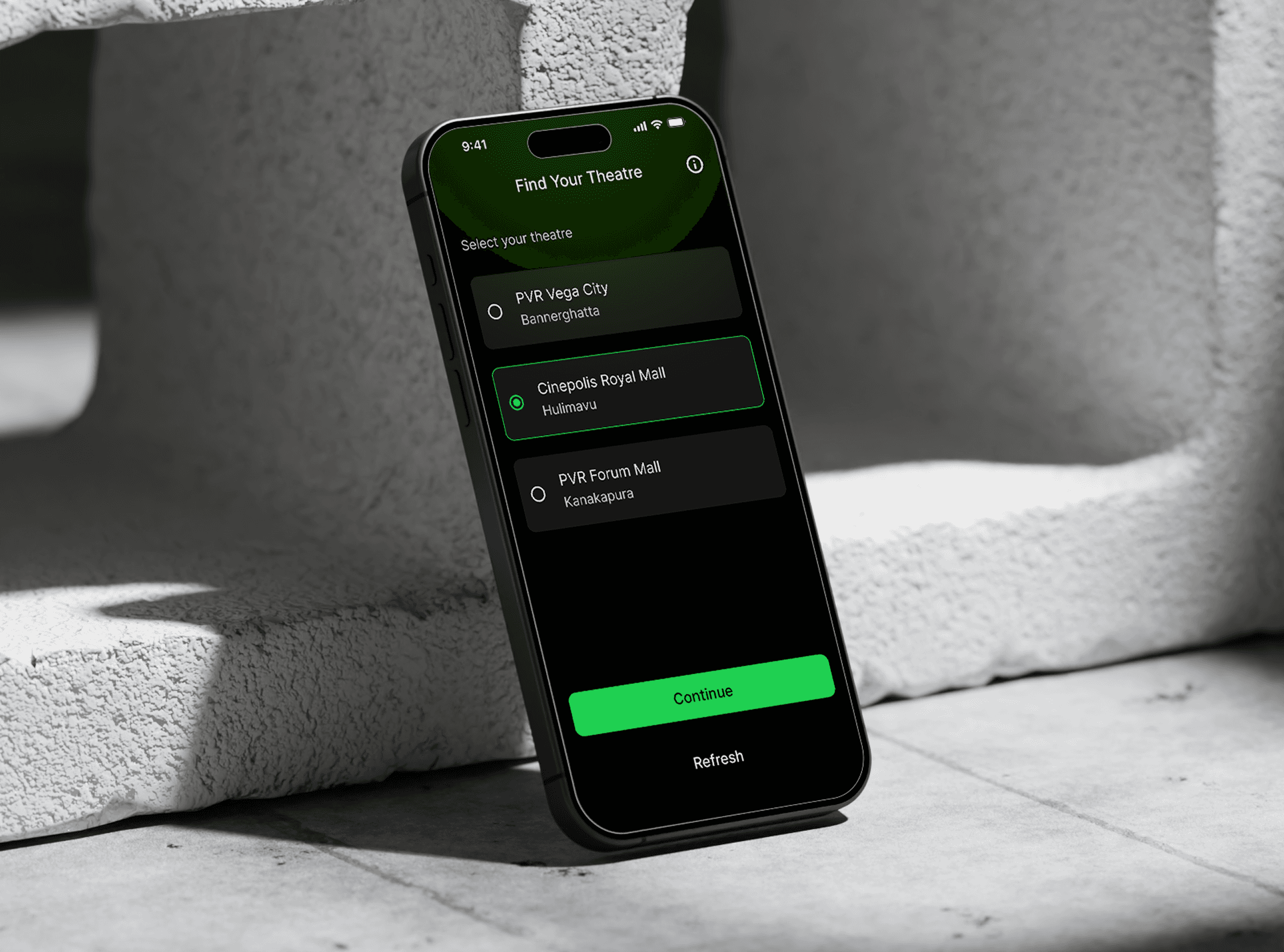
[APP SCREENS]

[TECHNICAL CHALLENGES]

[TECHNICAL CHALLENGES]

[TECHNICAL CHALLENGES]

APP STORE REJECTION

APP STORE REJECTION

APP STORE REJECTION

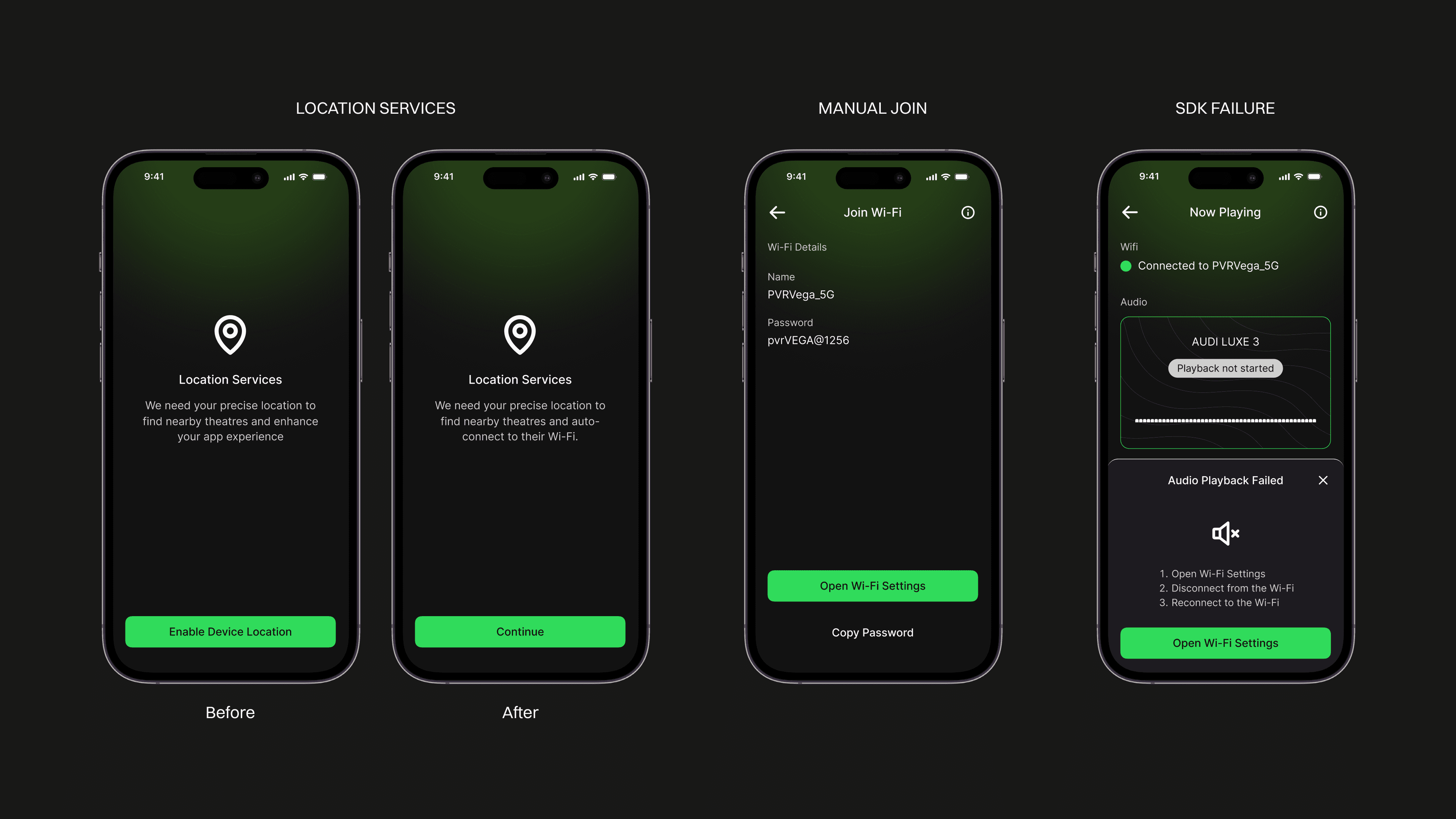
  • Apple’s guidelines prevented us from forcing location permissions.

  • We redesigned the flow to respect user choice while maintaining core functionality.

WIFI AUTO JOIN vs MANUAL

WIFI AUTO JOIN vs MANUAL

Designed a guided manual fallback with password copy buffer.

AUDIO SDK ISSUE

AUDIO SDK ISSUE

AUDIO SDK ISSUE

  • An audio fetch issue caused playback instability.

  • We redesigned the bottom sheet and interaction pattern to make recovery clearer.
[FEEDBACK]

[FEEDBACK]

[FEEDBACK]

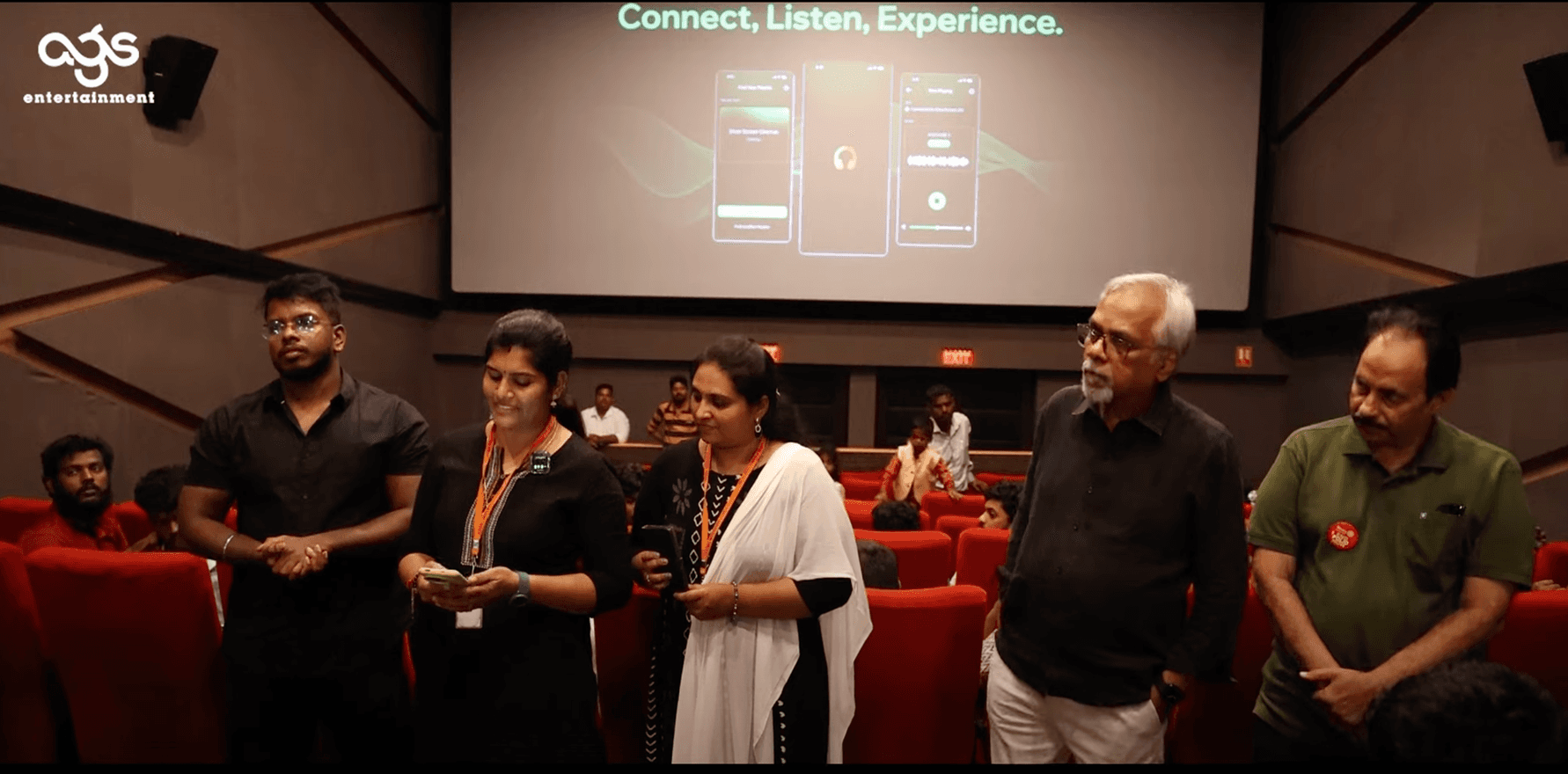
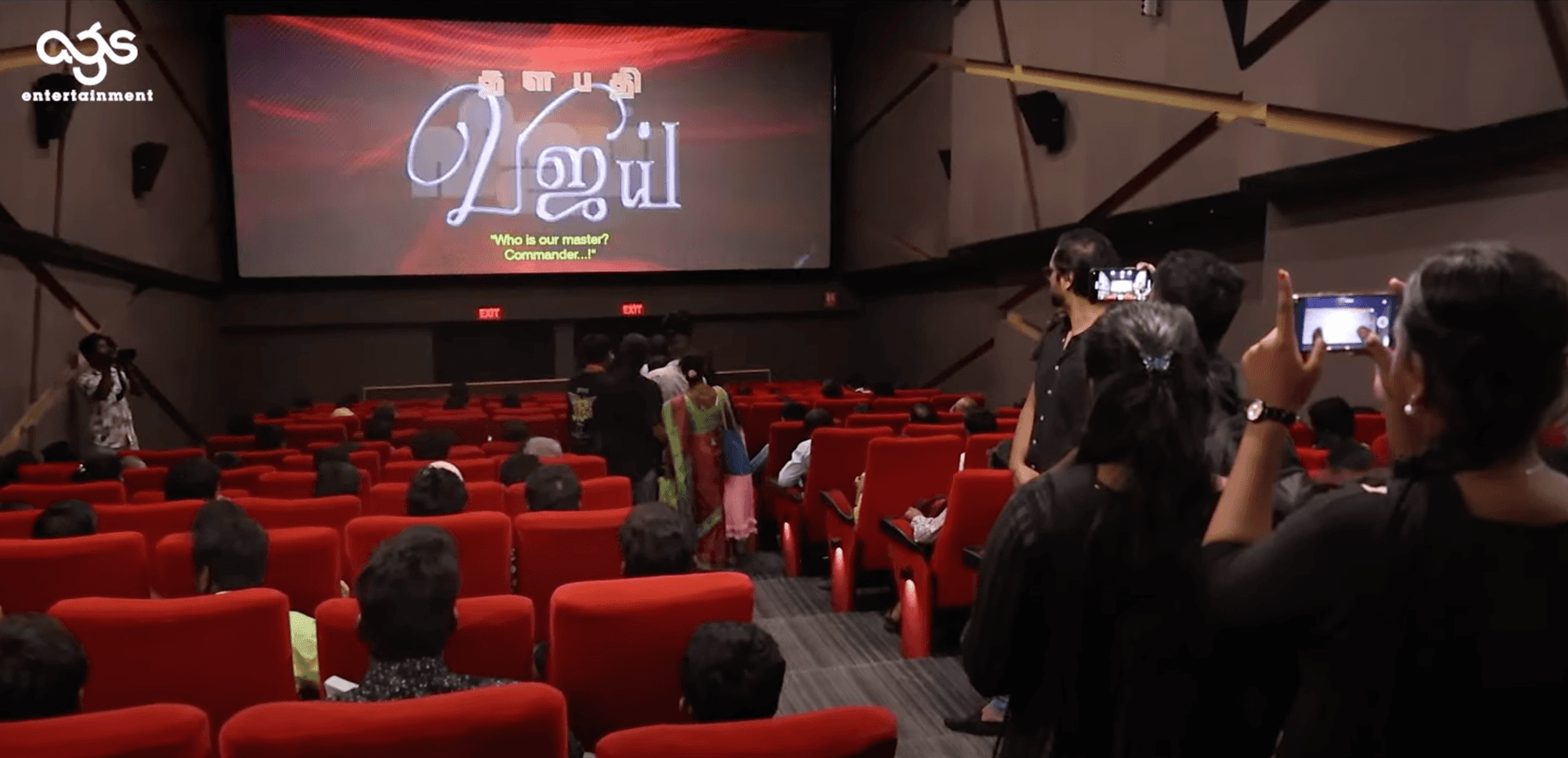
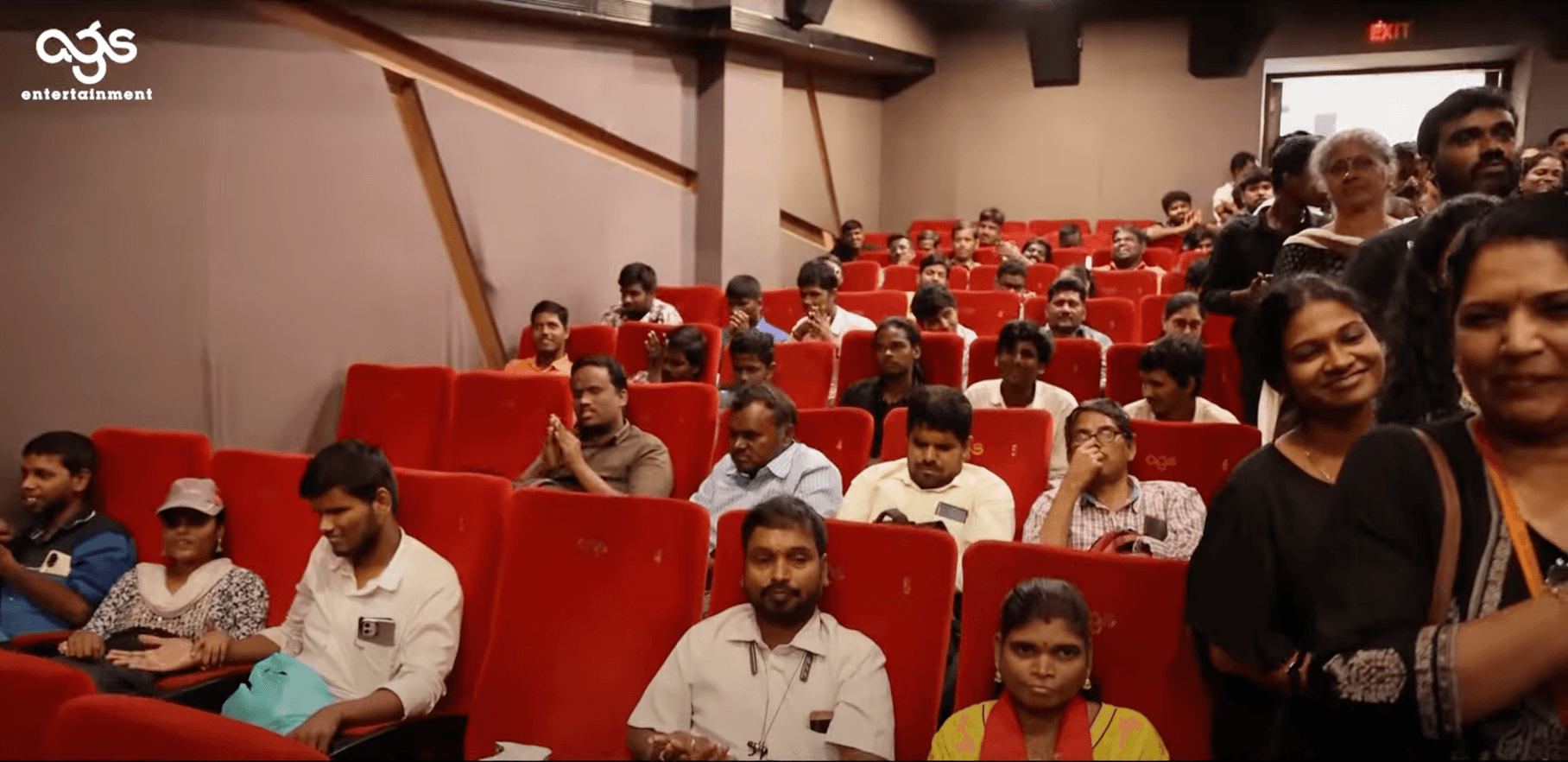
We hosted dedicated screenings for the visually impaired users to introduce them to the app, providing hands-on experience and gathering detailed feedback on its usability, accessibility and impact on their movie-watching experience.
[NEXT STEPS]

[NEXT STEPS]

[NEXT STEPS]

We have started working on expanding the app to support deaf users through closed captions while continuing to test and refine the app based on user feedback for further improvements.